Jira admin apps for people who have to answer for the site.
Who can do what in each project and what changed. Every SLA cycle, including the ones Jira recalculated. An Assets import file checked before you run it. Three apps, all on Atlassian Forge.
| User | Status | Project | Role | Via |
|---|---|---|---|---|
| Alana Grant | ITSIT Support | Administrators | group: site-admins | |
| Mitch Davis | ITSIT Support | Service Desk Team | direct | |
| Jennifer Evans | inactive | PLATPlatform | Administrators | group: JSM-Demo-Agents |
| Cassi Owens | MOBMobile | Member | group: Mobile Dev | |
| Emma Paris | FINFinance Ops | Approvers | group: finance-approvers | |
| Priya Natarajan | PLATPlatform | Administrators | group: site-admins | |
| Tomasz Wiśniewski | inactive | MOBMobile | Service Desk Team | direct |
Doorman for Jira
Every project role, group and permission grant expanded per person, product access by group against seats, and a change trail kept past the native audit log, with each actor marked recorded, inferred or unknown.
Super SLA
Every Jira Service Management SLA cycle kept after the issue closes: a breach ledger with the assignee at breach, the before and after of the recalculations it sees, gadgets and a customer portal panel.
Precheck
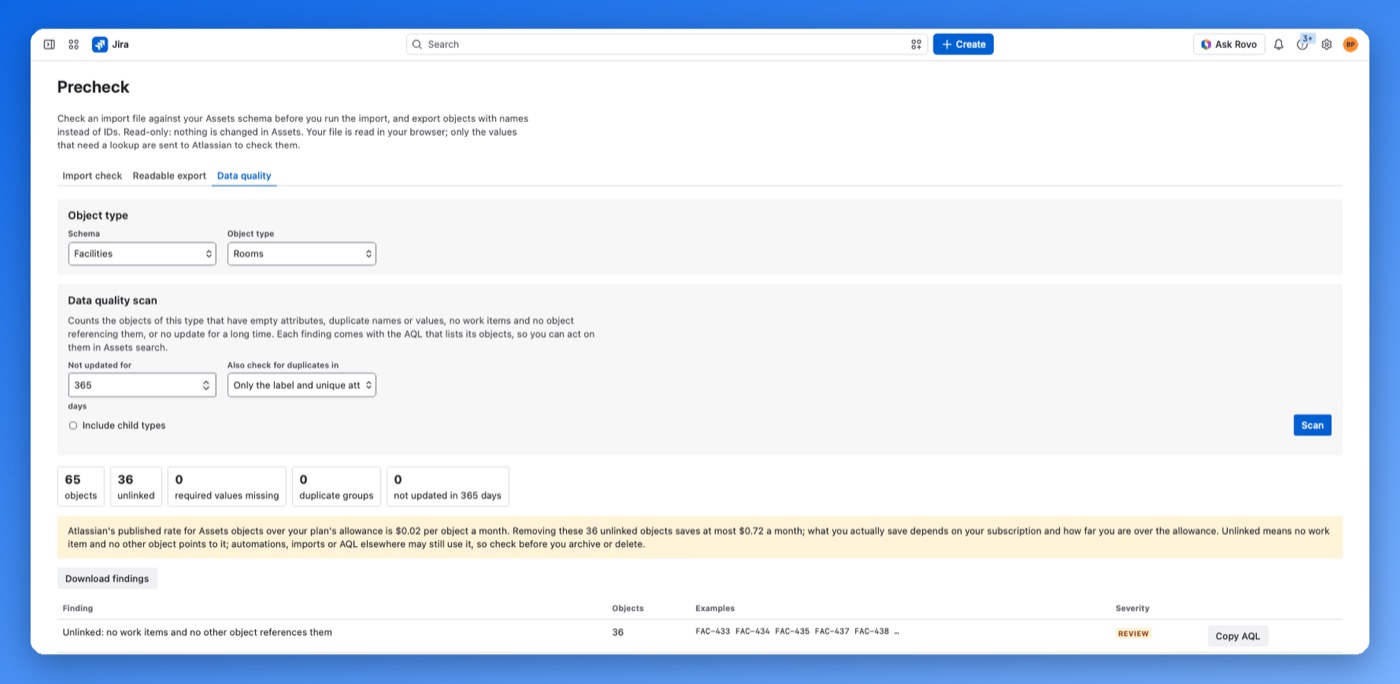
Checks an Assets CSV against the live schema and lists each problem by line and column before you import. Exports objects with names instead of IDs, and scans an object type for empty, duplicate, unlinked and stale objects.
Precheck · for Jira Assets
Find the bad rows before the import does
A native Assets import can stop halfway, name rejected objects by label instead of line, and drop values without an error. Precheck reads the file in your browser and checks it against the schema first. It writes nothing to Assets.
How the apps treat your data
- On Atlassian Forge
- No Altoria servers. Doorman and Super SLA keep their data in Forge storage in your site's region. Precheck stores nothing.
- What they write
- Doorman and Precheck only read. Super SLA writes only its own SLA fields on service project issues. None of them edit permissions, schemes, SLA goals or Assets objects.
- Billed through Atlassian
- Licences, trials and invoices go through the Atlassian Marketplace. Precheck is free for up to 10 users.