Change History
A Confluence macro that lists page and blog post versions, newest first, with a limit and filters.
- Set a limit from 1 to 200 versions.
- Filter by author or date, hide minor edits, or show only versions with a change comment.
- Open each version or compare it with the one before.
- Reads with the viewer's permissions. The app has no backend and stores no data.
Why
Confluence's Change History macro lists every version of a page. A limit has been requested since 2014 (CONFCLOUD-32315). This macro lets you set one.
Install
Atlassian is reviewing the Marketplace listing. Until it is approved, email support@altoria.app for early access. After that, a Confluence site administrator installs it from the Atlassian Marketplace. It asks for one scope, to read page and blog post version history.
Change History is free. The terms page lists the agreements that apply.
Add the macro
- Edit a page or blog post.
- Type
/Change Historyand choose Change History with Filters. Confluence's own Change history macro is also in that list, above this one. - To open the settings, select the macro, then choose Edit (the pencil icon) in the small bar that appears below it. The settings panel has no Save button: a change applies when you leave the field.
- Publish the page. A new page shows no versions until it is published.
You can add the macro more than once, each with its own settings: for example, the last five versions in one table and only versions with a change comment in another.
Settings
- Number of versions: a whole number from 1 to 200. The default is 10. If you clear the field, the macro also shows 10. Any other value shows a warning instead of the table.
- Only this author: versions saved by one person.
- Changed on or after: versions from midnight on that day in the reader's timezone.
- Hide minor edits: leaves out minor edits.
- Only versions with a change comment: leaves out versions without a comment.
Filters combine. The table shows the newest matches, up to your limit.
What readers see
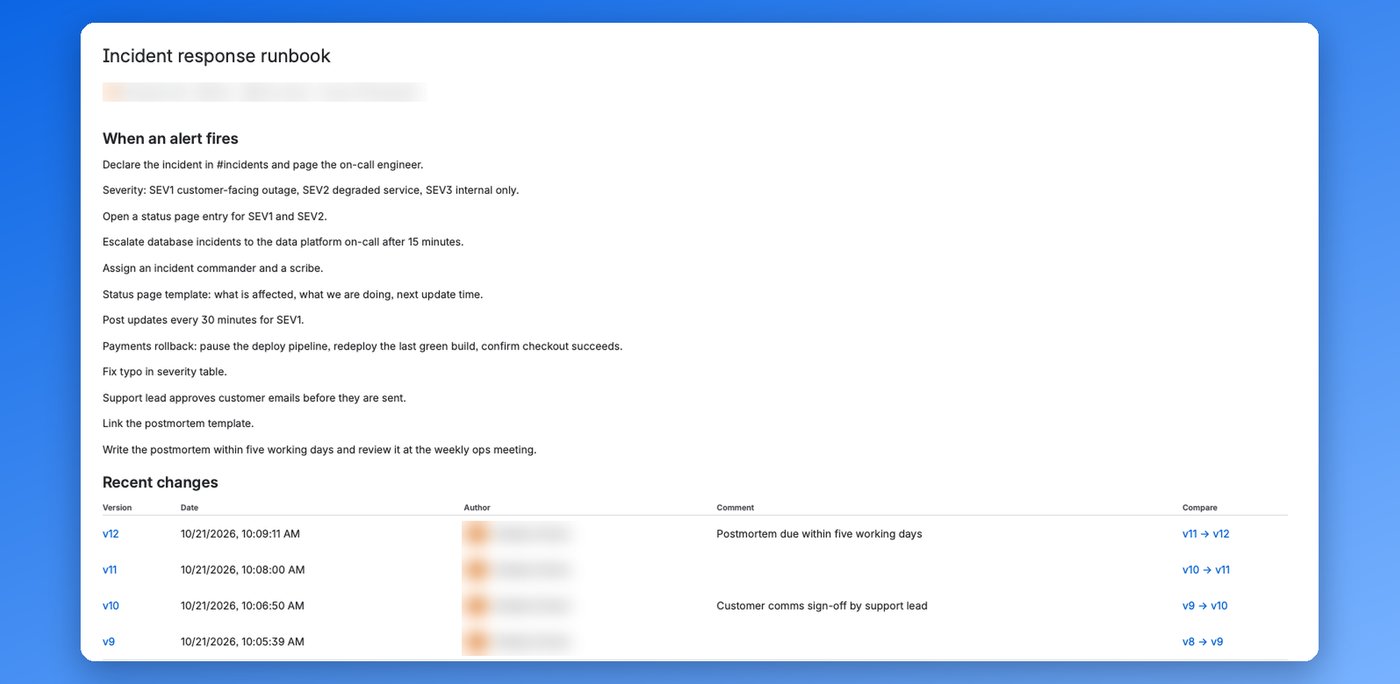
Each row shows the version number, date and time, author, and change comment. The version number opens that version. The compare link, for example v9 → v10, opens Confluence's compare view against the version before. Tables over 20 rows are split into pages.
Only people who can edit the page can change the filters: they edit the page, select the macro and choose Edit. People who view the page see the filtered table. If no version matches, the macro lists the active filters and how to change them. If history can't be loaded, it says why and offers Try again.
Limits
- Each view reads at most the 1,000 newest versions. If none of them match, the macro says so.
- The macro shows only the history of the page or blog post it's on.
- Guests and anonymous viewers see a Confluence placeholder instead of the table.
Data and privacy
The macro reads version history in the viewer's browser through Confluence's API, with the viewer's own permissions. Nobody sees versions of content they can't open. The app has no backend, stores no data and sends nothing outside Atlassian. See Privacy and Security and data.